
GA Voicemail Users are able to setup Follow Me Rules for their mailbox. Follow Me allows the User to set an order of which numbers to dial and when based on the Schedule and the Ring Me Numbers indicated.
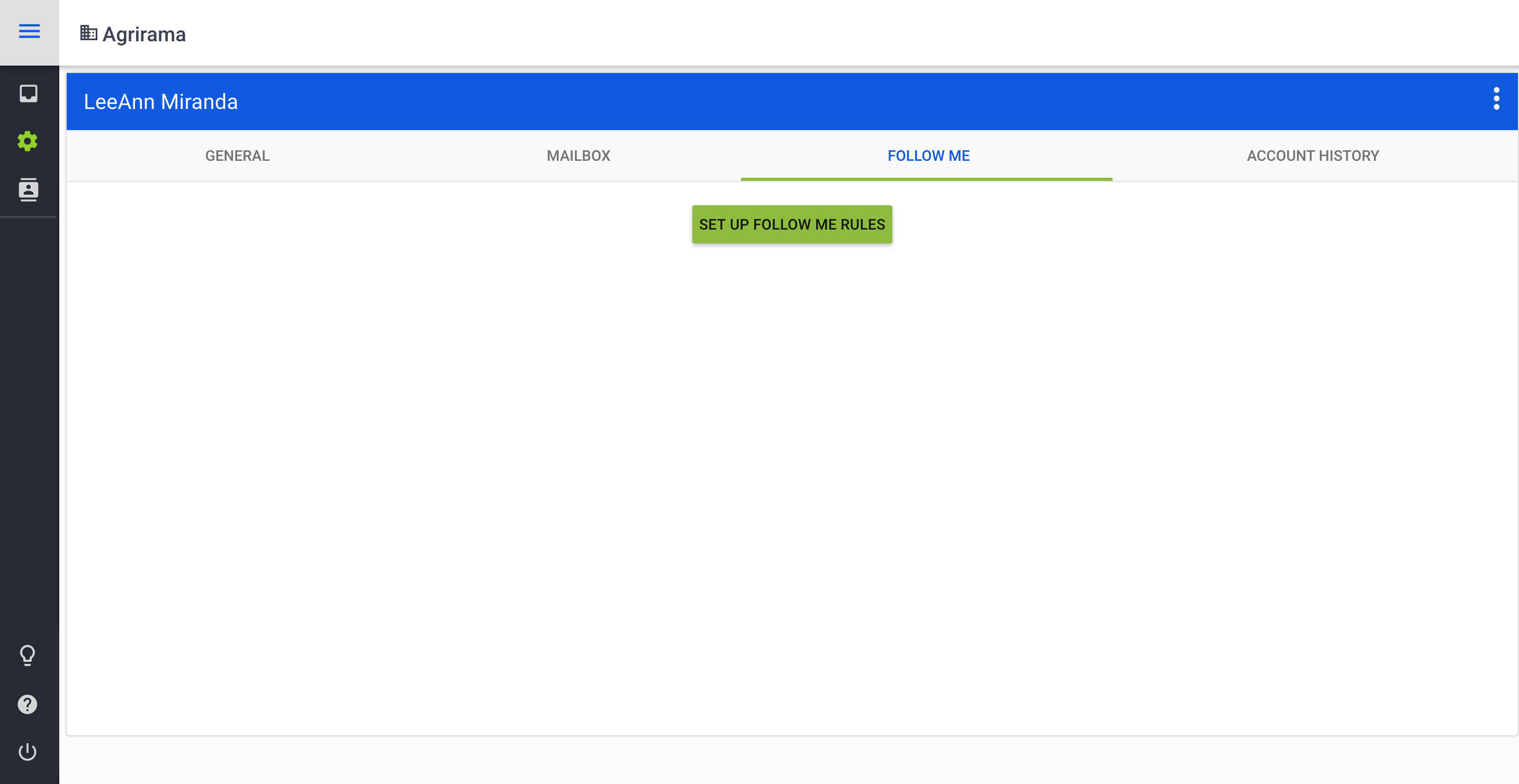
To begin setup of Follow Me, click on the Follow Me tab within your Account Settings then click on Set Up Follow Me Rules.
There are a number of options available for Follow Me. First, in order to activate a Follow Me Rule, the rule must be enabled by using the blue slider to the left of "Enable Follow Me Rule."
Keep in mind that if multiple Follow Me Rules exist, they will be used in the order in which they are displayed on the screen. To modify the order, click on the dots to the left of the rule, then drag to the desired position.
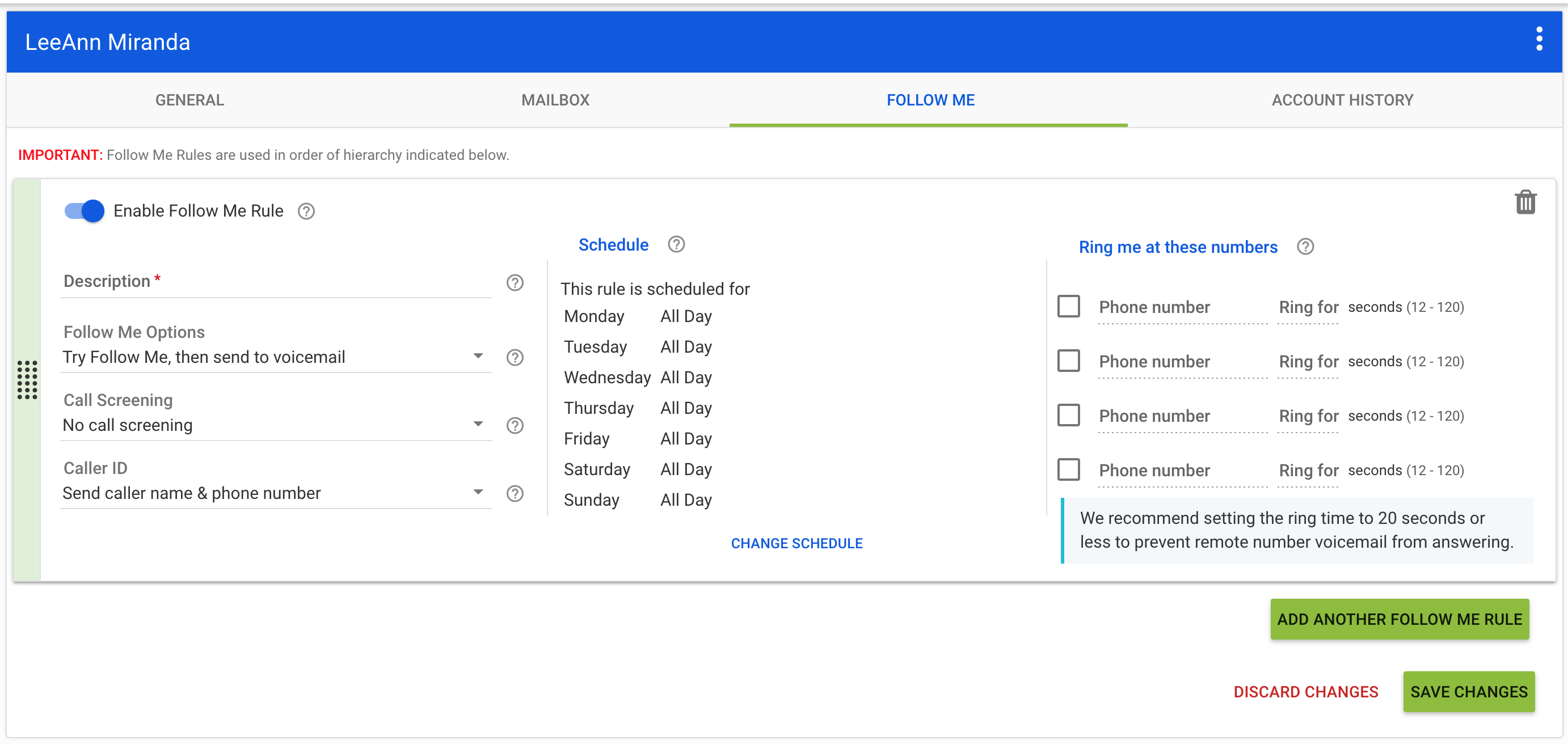
Description - Enter a description for your Follow Me Rule that will be easy to recognize and is descriptive enough for you to know what the rule may include just by it's name. Example: Weekday Rule
Follow Me Options - There are three Follow Me Options:
- Disabled: Follow Me will not be an option for the caller.
- Follow Me then Send to Voicemail: The User can choose to send the Caller to alternative numbers when the call reaches GA Voicemail prior to sending the User to the Voicemail mailbox.
- Send to Voicemail with Option to Follow Me: The Mailbox Greeting will first play and the caller can press option five (5) to opt to attempt Follow Me versus leaving a voicemail message.
Call Screening - The User who receives the call on the Follow Me number is able to identify the Caller either by hearing their Phone Number or hearing a Recorded Name (which the caller will be asked to record when they dial in).
Caller ID - The User has the option to choose their desired view for Caller ID. They can opt to see the Caller's Name and Phone Number or the Desk Phone/Mailbox ID of their GA Voicemail mailbox.
Schedule - The User can setup a schedule for the specific Follow Me Rule. For instance, the rule could be specific to the Weekends during business hours, so there would be no follow-me offered after hours or weekends. To modify an existing Schedule, click Change Schedule.
Ring Me at These Numbers - The user is able to include up to four (4) phone numbers to ring when the Follow Me Rule is enabled. It is recommended that the ring timer be set somewhere below 20 seconds in order to prevent the Caller from being connected to the external phone's voicemail service versus GA Voicemail.
Always be sure to click Save Changes when making updates. If additional Follow Me Rules are required, click "Add Another Follow Me Rule."
Comments
0 comments
Article is closed for comments.